Planify 4.20.0 is our biggest release in a while. It brings full Nextcloud Deck integration, bidirectional CalDAV reminder sync, a productivity goals system, GNOME Online Accounts detection, and a long list of features, fixes, and performance improvements. Let’s dive in.
🗂️ Nextcloud Deck Integration
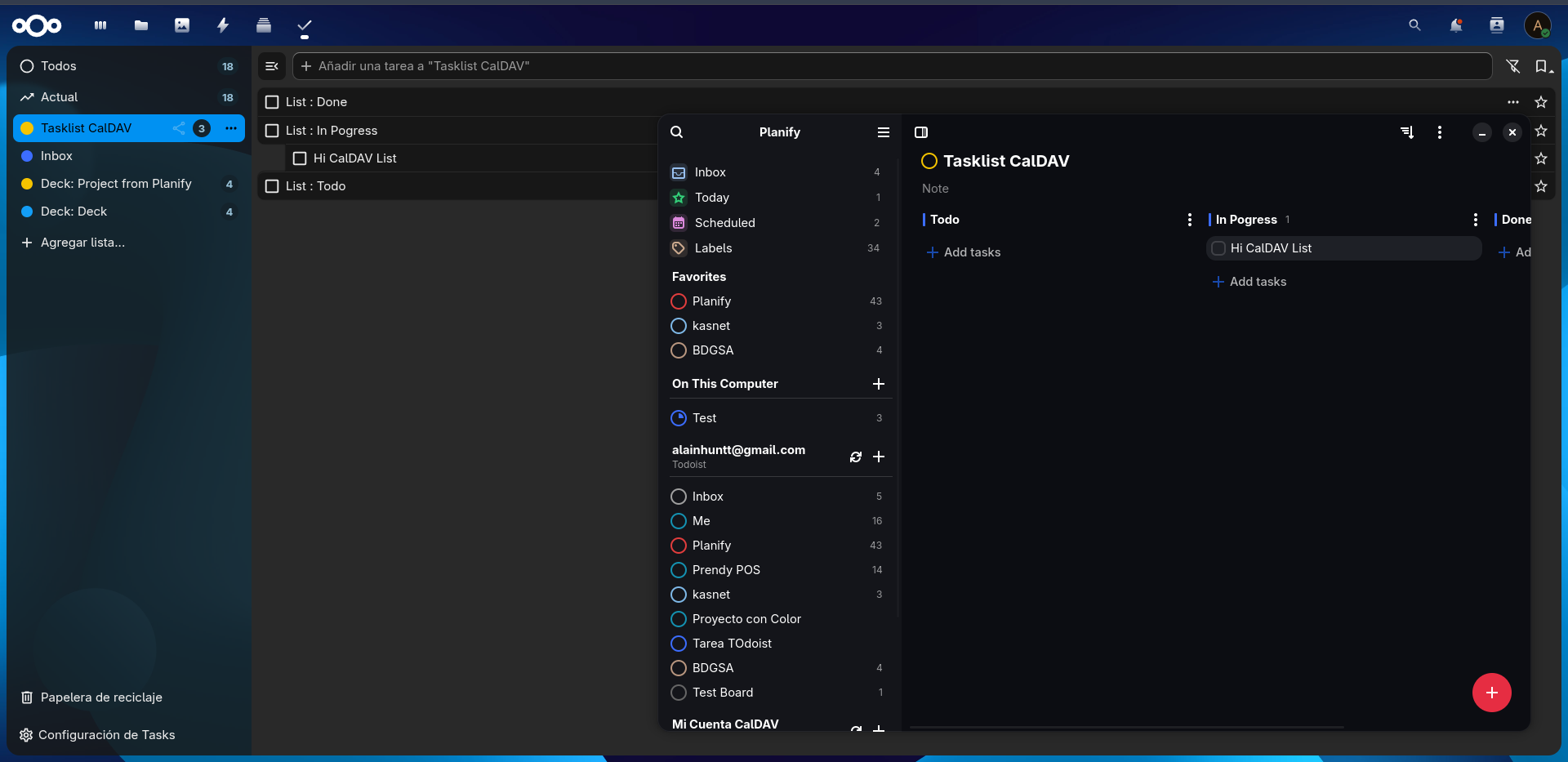
Planify now syncs two-way with Nextcloud Deck. Your Deck boards show up as projects, stacks map to sections, and cards map to tasks — with full create, edit, and delete support in both directions.
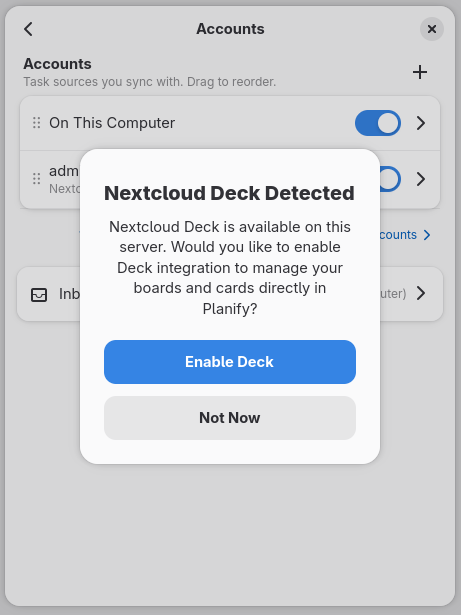
Deck sync is opt-in. If you’re adding a Nextcloud/CalDAV account for the first time, Planify scans your account to check whether Deck is available and offers to enable it right there. If you already have an account set up, it stays off until you turn it on manually from the account’s section in Preferences.
- Boards, stacks and cards sync with title, description, due date, and completion status
- Labels sync bidirectionally, with automatic color conversion between Planify’s named colors and Deck’s hex values
- Drag and drop cards between stacks, and even between different boards, with real-time sync
- Archive boards from either Planify or the Deck web app
- Order is preserved when you reorder stacks
Since Deck has no subtasks or inbox, those parts of the UI are hidden for Deck projects.
⏰ CalDAV Reminder Sync
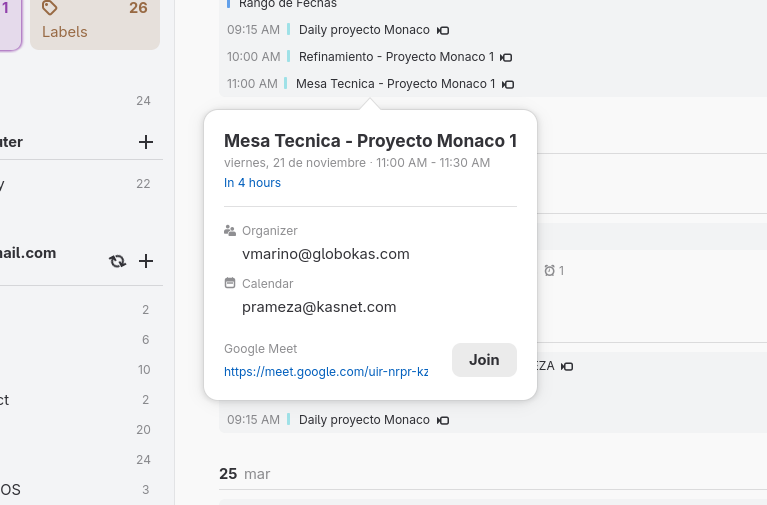
Reminders now sync both ways with CalDAV servers (Nextcloud, Radicale) and compatible apps like Tasks.org and Thunderbird, using the standard VALARM mechanism. Set a reminder in Planify and it shows up on your phone — and the other way around. This closes long-standing requests #2529, #1207, and #1410.
📊 Productivity Goals
A new productivity goals system helps you keep momentum:
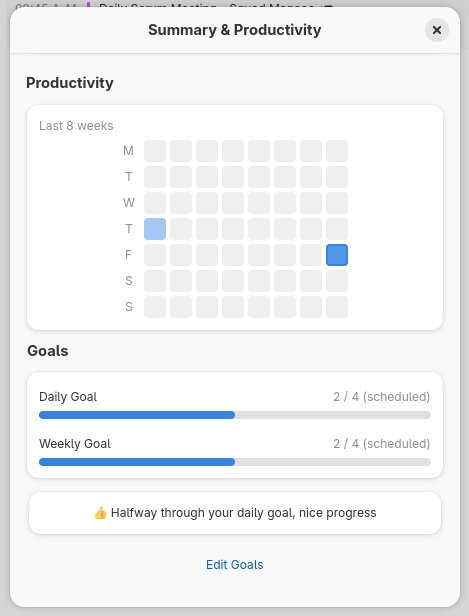
- Set a daily and weekly task completion target — fixed, or dynamic based on today’s scheduled tasks
- A mini widget in the app menu shows your daily progress with a circular progress bar
- An 8-week activity heatmap in the productivity report gives you the bigger picture
☁️ GNOME Online Accounts Detection
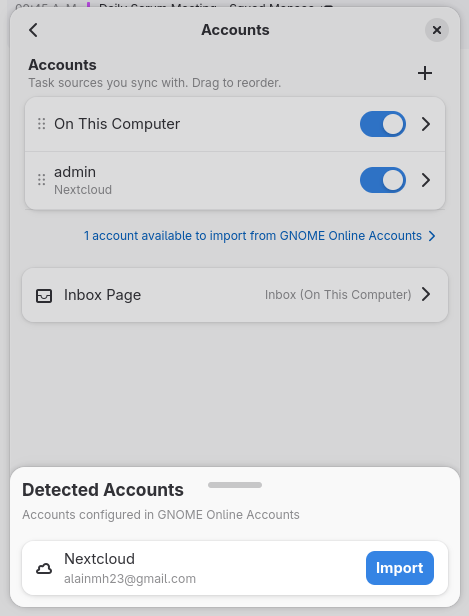
If you already have a Nextcloud or CalDAV account set up in GNOME Online Accounts, Planify now detects it and offers to import it — no need to retype the server URL. A subtle link under the account list opens a sheet of detected accounts, each with an Import button that prefills the setup for you.
✨ More New Features
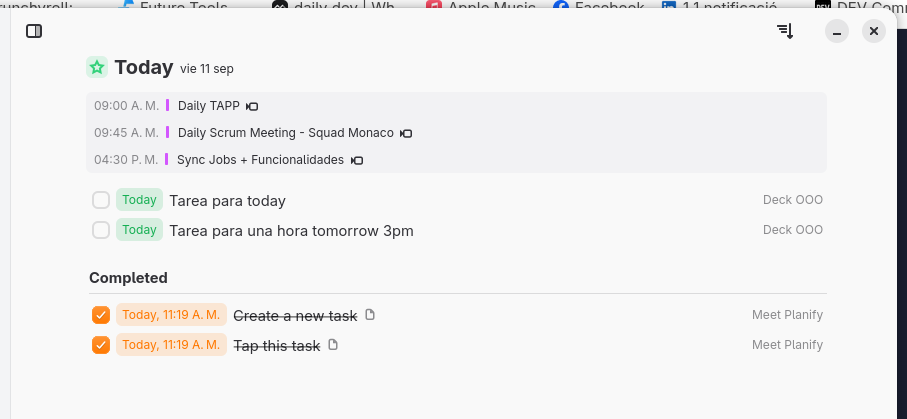
- Completed tasks in Today — a new toggle reveals the tasks you finished today, right in the Today view
- Filters everywhere — the All Tasks view gains full sort and filter controls, and the Completed view gains a project filter
- All Tasks and Labels as Home View — pick either as your startup view in Preferences
- Calendar sources page — choose exactly which calendars appear in Planify
- Deadline quick dates — the deadline picker now offers Tomorrow, In 3 days, Next week, and more, matching the date picker
- Keyboard project navigation — jump to projects with
Ctrl+1–Ctrl+9and cycle through them withCtrl+Page Up/Down - Smarter date picker — type a date in natural language and Planify parses it for you
- QuickFind upgrades — search inside descriptions, see the parent project for sections, and a result count footer
- Repeat from completion date — recurring tasks can now repeat from the day you complete them instead of their due date, per task
- Better PDF export — long titles wrap, task descriptions and colored labels are included, and emoji render in color
🐛 Bug Fixes & Performance
- Fixed a crash on startup caused by CalDAV tasks with invalid dates
- Fixed tasks reappearing after closing the app right after deleting them — pending deletes now survive restarts
- Fixed the
--backgroundflag exiting immediately instead of keeping Planify running - Dates now follow your system locale — day-month vs month-day matches your region across tasks, deadlines, events, and the heatmap
- You can now edit the description of completed tasks
- Fixed fenced code blocks losing their backticks, and improved link/code contrast in the markdown editor on dark themes
- Fixed the (No Section) column not hiding when empty in Board view, and the Label view not updating in real time
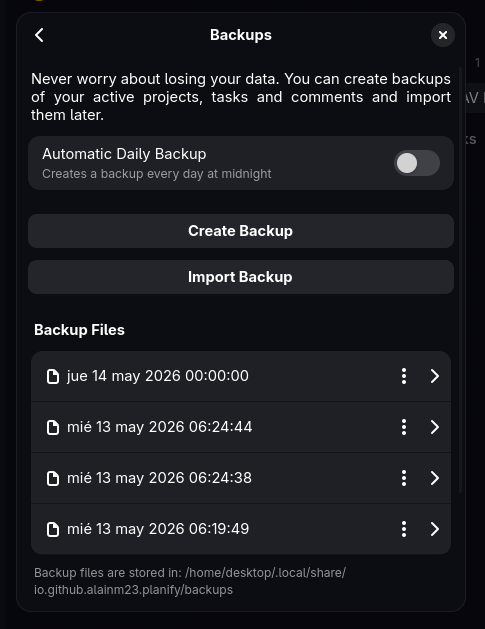
- Automatic backup retention — a new “Backups to Keep” setting prunes old backups, and the backup list is now paginated
- Lower memory usage — smarter view caching, cached item getters, and a cap on cached calendar months
💬 Get Involved
Planify thrives thanks to community feedback and contributions. You can help by:
- 🌍 Translate: Help bring Planify to your language via Weblate
- 🐛 Report bugs: Found an issue? Open an issue on GitHub
- 💡 Suggest features: Share your ideas for making Planify even better
- 📢 Spread the word: Follow @planifyapp on Mastodon
- ☕ Support development: Support Planify’s development
Download Planify 4.20.0 now on Flathub
Stay organized, stay inspired ✨