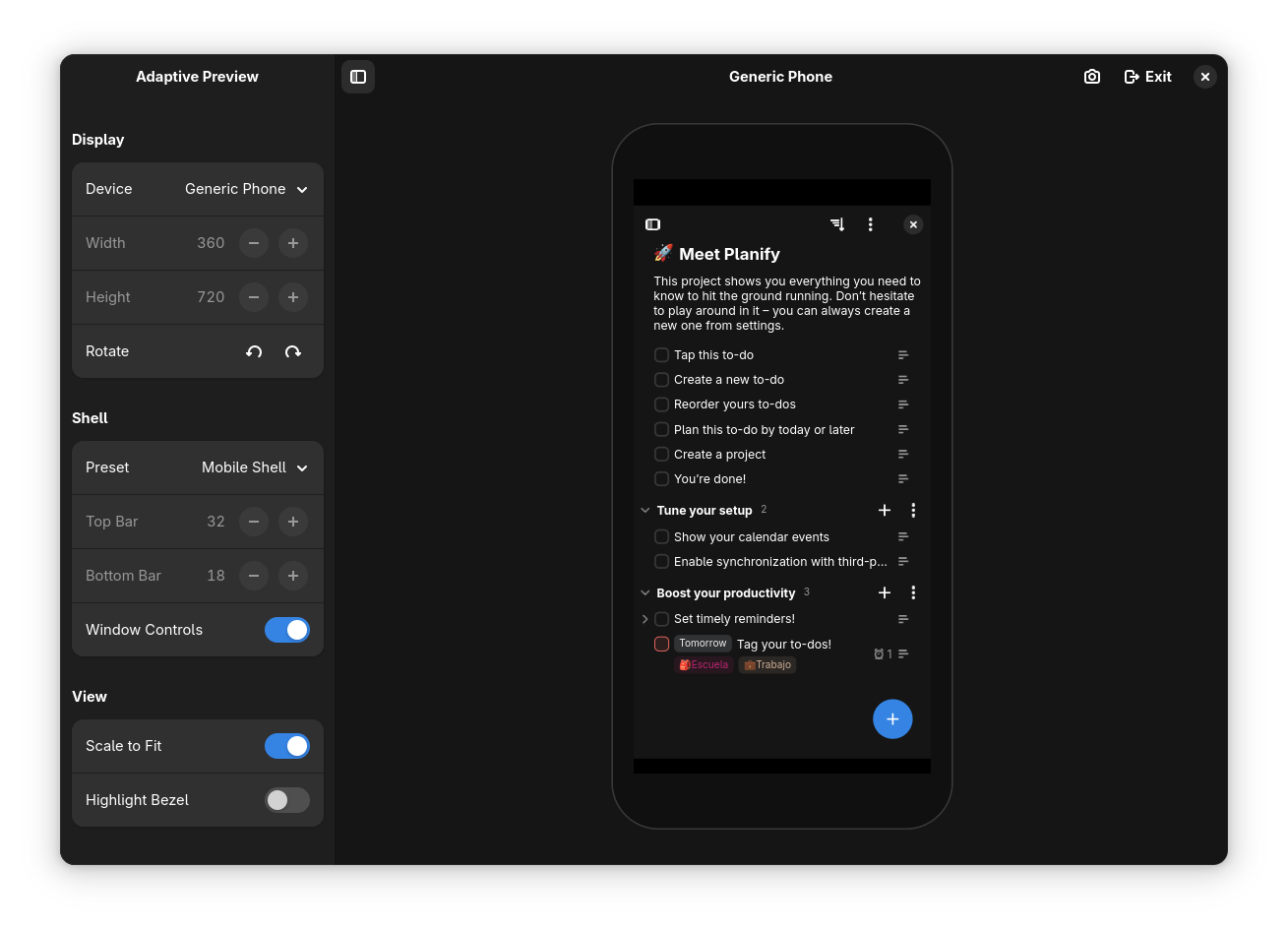
This release focuses on improving how you write, navigate, and interact with your tasks — while making Planify feel smoother and more delightful. From a completely redesigned Markdown editor to satisfying animations and smarter workflows, version 4.15.1 brings meaningful improvements to your daily task management experience.
📝 A new Markdown editor
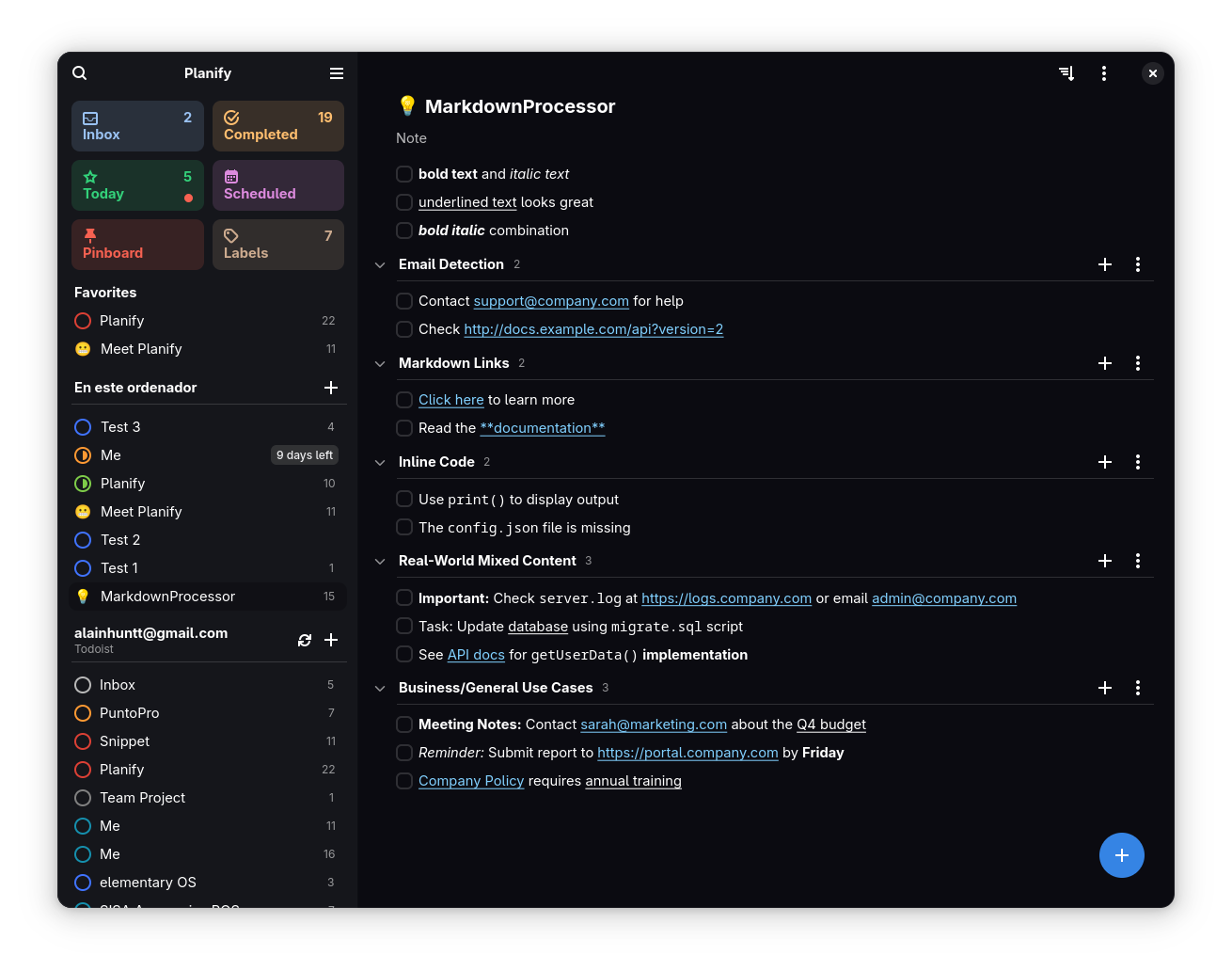
We’ve completely rebuilt the Markdown editor from the ground up, creating a lightweight, distraction-free writing experience tailored specifically for Planify.
What’s new:
- Intuitive formatting toolbar: Select any text and a contextual popover appears instantly with formatting options
- Rich text support: Bold (text), italic (text), strikethrough (
text), inline code (code), headers (# H1, ## H2), and clickable links - Smart list continuation: Press Enter in a list and Planify automatically continues it — both for bullet points (•) and numbered lists (1., 2., 3…)
- Live preview: See your formatting applied in real-time as you type, with Markdown syntax elegantly hidden
- Spell checking: Built-in spell checker powered by libspelling keeps your writing error-free
- Keyboard-first design: Format text without lifting your hands from the keyboard
- Link management: Ctrl+Click to open links, or click to edit them with a dedicated URL editor
The editor intelligently handles complex formatting combinations (like bold + italic + strikethrough) and makes editing formatted text feel natural and effortless.
🌀 Animated progress bars
Progress tracking just got a lot more satisfying. Instead of static bars, progress now animates smoothly as you complete tasks, giving you instant visual feedback on your accomplishments.
What makes it special:
- Smooth animations: Progress bars move naturally and fluidly as you complete tasks
- Celebration effect: When you hit 100% completion, the circular progress bar performs a delightful “squeeze” animation with a bounce effect
These animations aren’t just eye candy — they provide meaningful feedback that makes completing tasks feel more rewarding and helps you stay motivated throughout your day.
🌍 Translation progress & Weblate integration
Planify is now fully integrated with Weblate, making it easier than ever for the community to contribute translations and help bring Planify to users worldwide.
What this means for you:
- Translation metrics: See translation progress for your language directly in Preferences (updated every 24 hours)
- One-click contribution: Jump straight to Weblate from within Planify to start translating
- Community-powered: Join translators from around the world working on 80+ languages
- Transparent progress: Track completion percentages and see which strings need translation
- Quality assurance: Weblate’s built-in checks ensure translation consistency and quality
Currently, Planify supports languages including Spanish, French, German, Portuguese, Russian, Italian, Japanese, Chinese, and many more. Your contributions help make task management accessible to everyone, regardless of their language.
🎯 Focus Mode
Introducing Focus Mode — a game-changing feature that helps you concentrate on one task at a time without distractions.
How it works:
- Single-task focus: When you open a task, it expands to show all details while keeping everything else minimized
- Click-to-dismiss: Simply click anywhere outside the focused task to close it and return to your list
- Keyboard support: Press ESC to exit focus mode instantly
- Smart defaults: Enabled by default for new users, but fully customizable in settings
- Distraction-free editing: Edit task details, add subtasks, set reminders, and manage attachments without visual clutter
- Multi-selection compatibility: ESC key intelligently exits either focus mode or multi-selection mode depending on context
This feature was one of the most requested by the community, and it’s designed to help you maintain flow state while working through your tasks. Whether you’re planning your day or diving deep into a complex project, Focus Mode keeps you centered on what matters most.
⌨️ Smarter keyboard navigation
We’ve refined keyboard interactions throughout Planify to make navigation faster and more intuitive for power users.
Keyboard improvements:
- ESC key intelligence: Context-aware behavior that closes focused tasks, exits multi-selection mode, or dismisses popovers
- Quick Add enhancements: Improved keyboard navigation when selecting projects and labels — arrow keys, Enter to confirm, and Tab to move between fields
These refinements make Planify feel more responsive and reduce the need to switch between keyboard and mouse, helping you maintain your workflow momentum.
🖱️ Context menus & quick creation
Right-click functionality has been expanded throughout Planify, giving you instant access to creation and management actions wherever you need them.
New context menu locations:
- Sidebar: Right-click in the sidebar to quickly create new projects, sections, or filters
- Project view: Right-click within any project to add tasks or sections on the spot
📥 Custom Inbox project
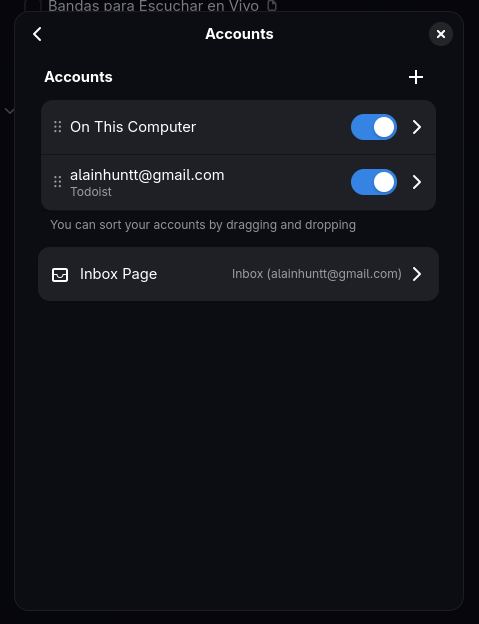
One of the most requested features is here: you can now choose any project to act as your default Inbox, giving you complete control over how you capture and organize incoming tasks.
What’s new:
- Flexible Inbox selection: Choose any local or synced project as your default Inbox
- Quick capture destination: Tasks created via Quick Add or keyboard shortcuts go directly to your chosen Inbox
- Source visibility guarantee: Planify ensures at least one source (Local, Todoist, Nextcloud, or CalDAV) remains visible at all times for reliability
- Seamless migration: Existing users’ Inbox settings are preserved during the update
- Visual indicator: Your selected Inbox project is clearly marked in the interface
This feature is perfect for users who want to integrate Planify into existing workflows, use a specific project for task capture, or maintain separate Inboxes for different areas of life (work, personal, etc.).
🧭 Improved drag & drop smoothness
We’ve completely overhauled the drag-and-drop experience to make organizing tasks feel more natural and responsive, especially when working with long project lists.
Improvements:
- Adaptive scroll speed: As you drag a task toward the top or bottom of a list, scrolling automatically accelerates smoothly
- Natural acceleration curve: Scroll speed increases progressively based on how close you are to the edge
- Precise control: Slow, controlled scrolling when you’re near your target, faster movement when traversing long lists
- Visual feedback: Clear drop indicators show exactly where your task will land
- Cross-section dragging: Seamlessly move tasks between sections within the same project
These refinements make reorganizing large projects feel effortless, whether you’re doing a quick reorder or a major restructuring of your task list.
🐞 Bug fixes & stability improvements
This update includes important fixes that improve reliability and data integrity across the board:
Critical fixes:
- Sidebar crash fix: Resolved a crash that occurred when reordering views in the sidebar
- CalDAV improvements: Fixed issues with reading and parsing multiple CalDAV tasks simultaneously
- Label management: Corrected label deletion behavior when removing a source to prevent orphaned labels
- Filter handling: Fixed problems with spaces in sidebar filter names that caused display issues
- Event sync reliability: Resolved event update synchronization issues with calendar integrations
🎉 What’s next?
This release represents hundreds of hours of development, testing, and community feedback. But we’re just getting started! Here’s what’s currently in active development:
- Natural language date parsing: Schedule tasks faster by typing dates naturally (“tomorrow”, “next Monday”, “in 3 days”) instead of clicking through calendars
- Recurring tasks sync improvements: Better synchronization of recurring tasks between Planify and Todoist, ensuring your repeating schedules stay perfectly in sync
- Google Tasks integration: Connect your Google Tasks account to access and manage your tasks alongside Todoist and CalDAV
- Enhanced keyboard experience: More keyboard shortcuts and improvements to make Planify even faster for power users who prefer keeping their hands on the keyboard
💬 Get involved
Planify is built by the community, for the community. Here’s how you can help:
- 🌍 Translate: Help bring Planify to your language via Weblate
- 🐛 Report bugs: Found an issue? Open an issue on GitHub
- 💡 Suggest features: Share your ideas for making Planify even better
- 📢 Spread the word: Follow @planifyapp on Mastodon and share with friends
- ☕ Support development: Support Planify’s development
Download Planify 4.15.1 now on Flathub
Stay organized, stay creative 💫